How to Vacation in Selvadorada in The Sims 4
If you want to have fun with the jungle you’ll want to vacation in Selvadorada in The Sims 4.
This is an ability with The Sims 4: Jungle Adventure and lets your sims have a nice time away from work or school.
How to Vacation in Selvadorada in The Sims 4
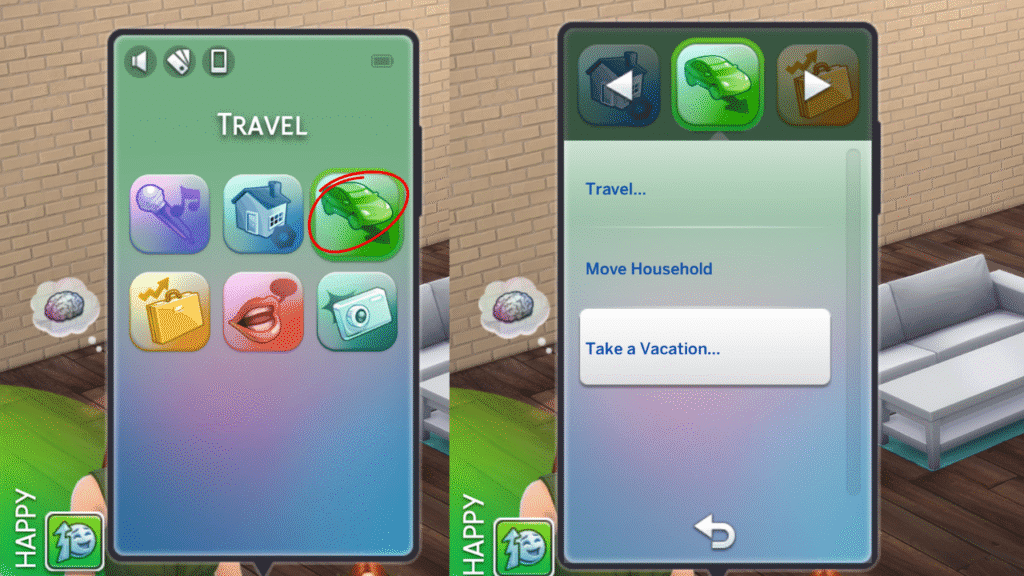
To take a vacation you’ll go into your sim’s phone and click on the green travel icon. In this menu you’ll find an option that says take a vacation. Click on that and you’ll be off!
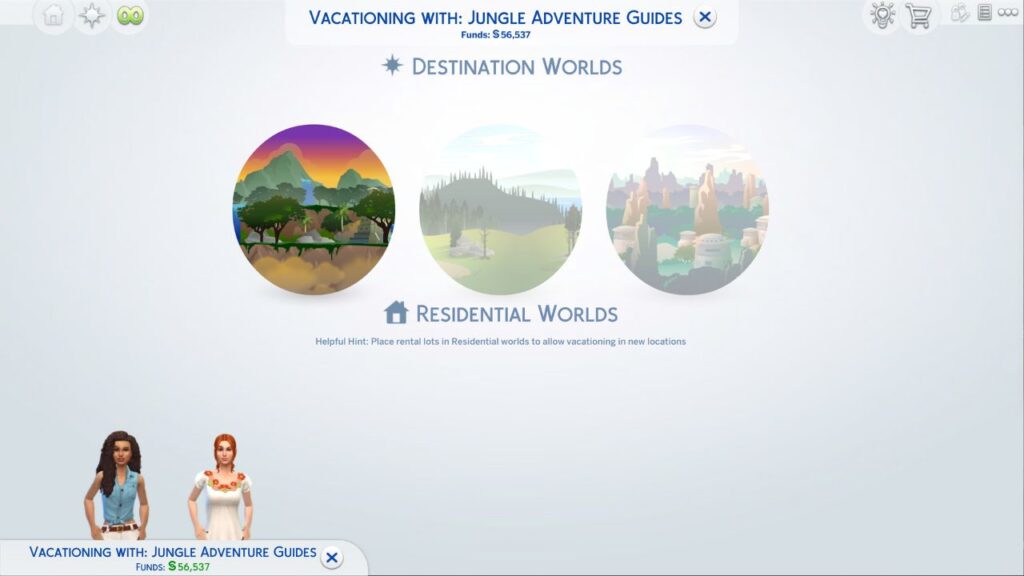
This will open a menu that shows any vacation worlds your sim has access to, and you’ll want to choose Selvadorada.
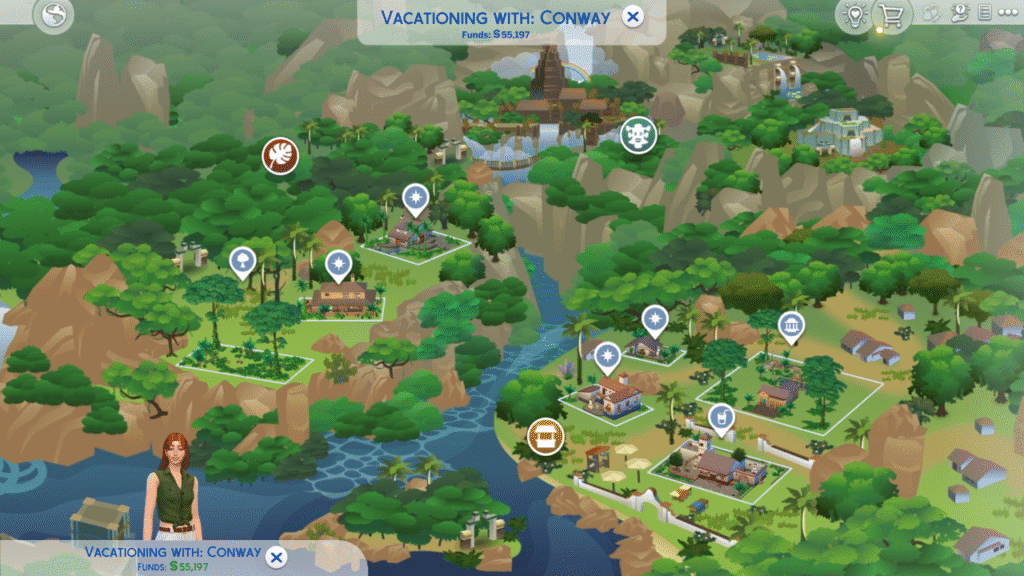
Then, it’ll open up a map of Selvadorada where you can choose any of the lodging options that you have. There are four lots to choose from each with a different amount of beds and baths.
When you pick one and click the checkmark and click confirm a menu will appear where you can choose how long to rent the lot. On the right side you’ll see how much your sim is paying for the lot per day, and how much it’ll cost to rent it in total.
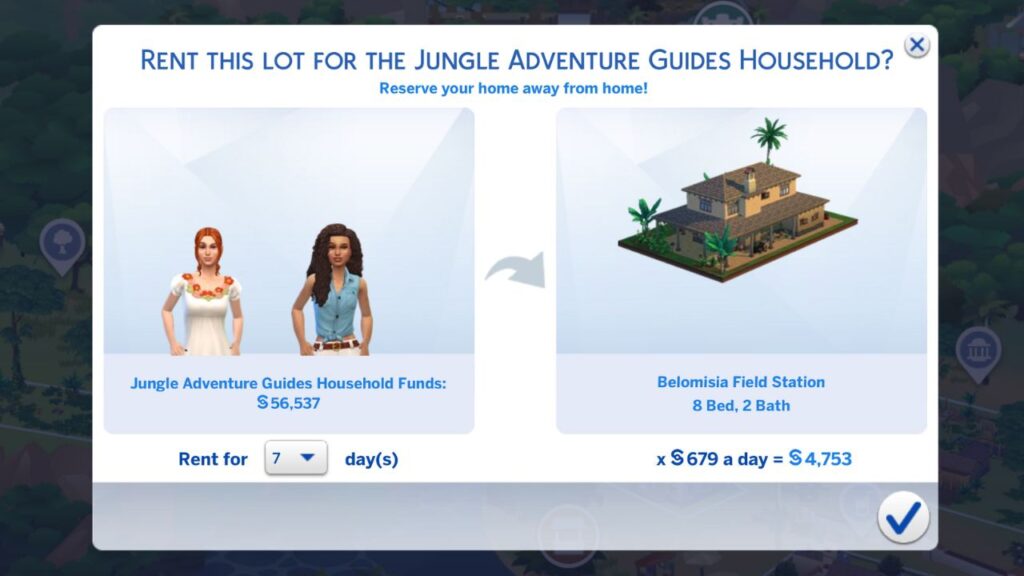
When you click that check mark your sims will immediately travel to the rental lot and you’ll be free to start being a jungle explorer or hanging out at the Cantina.
If you want your sim to leave the vacation at any time you can do one of two things. If you want the entire family to leave you can use the phone and under the travel menu you’ll find end vacation. If you want just one sim to leave, control them and then click them and choose send home from vacation.
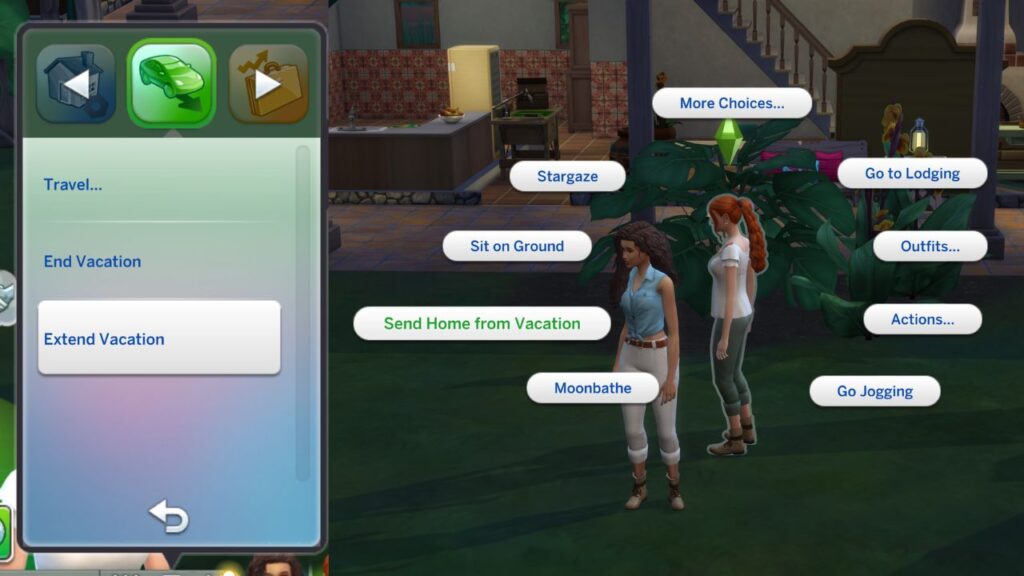
You can also extend your vacation by using the phone and under the travel menu you’ll find extend vacation and your sims can stay for longer.
With the knowledge of how to vacation in Selvadorada in The Sims 4 you can now explore the jungle or become the smartest archaeology scholar out there!