How to Vacation in Granite Falls in The Sims 4
If you want to have a nice trip you should vacation in granite falls in The Sims 4.
This comes with The Sims 4: Outdoor Retreat and lets your sims go camping under the stars.
How to Vacation in Granite Falls in The Sims 4
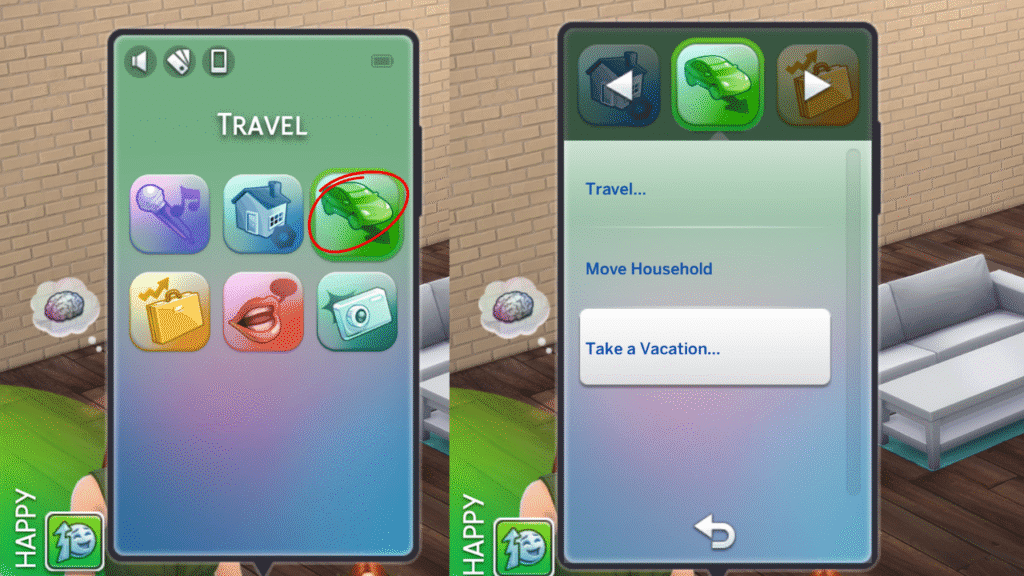
If you want to take a vacation in granite falls you’ll need to go to your sim’s phone and click on the green travel icon and choose take a vacation.
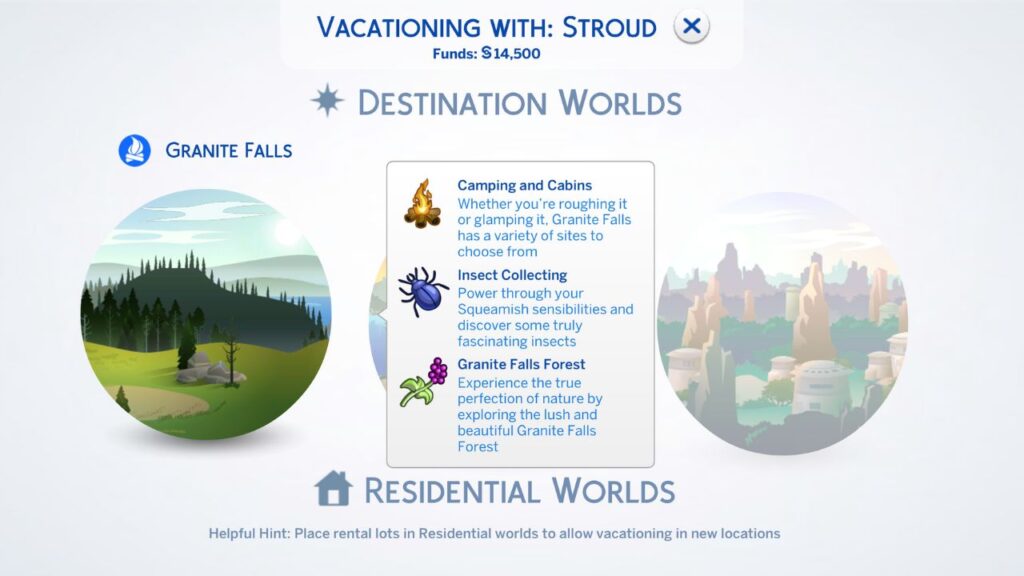
When you click this a travel menu will appear showing you each of the destination worlds you have available to your sim. You’ll want to pick the world of Granite Falls!
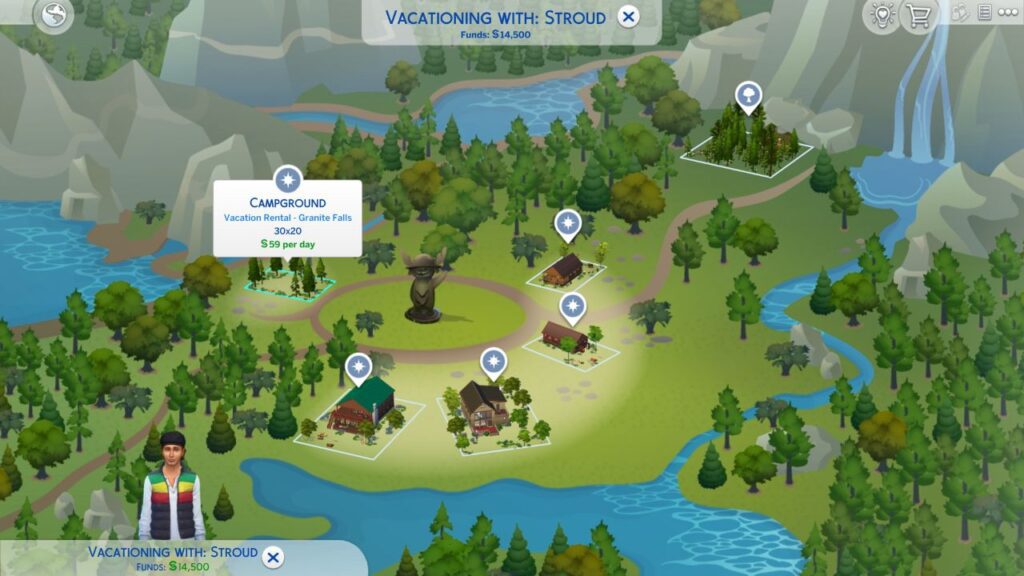
Then it’ll load you into the world map where you can choose from a number of lodging options. Your big decision is between a rental cabin or to have your sims go camping! You’ll find the campground lot on the left side of the map.
When you decide where you want to stay another menu will open and you’ll be able to choose how long you’ll stay. You’ll see on the right side how much the trip will cost your sim and the per day cost too.
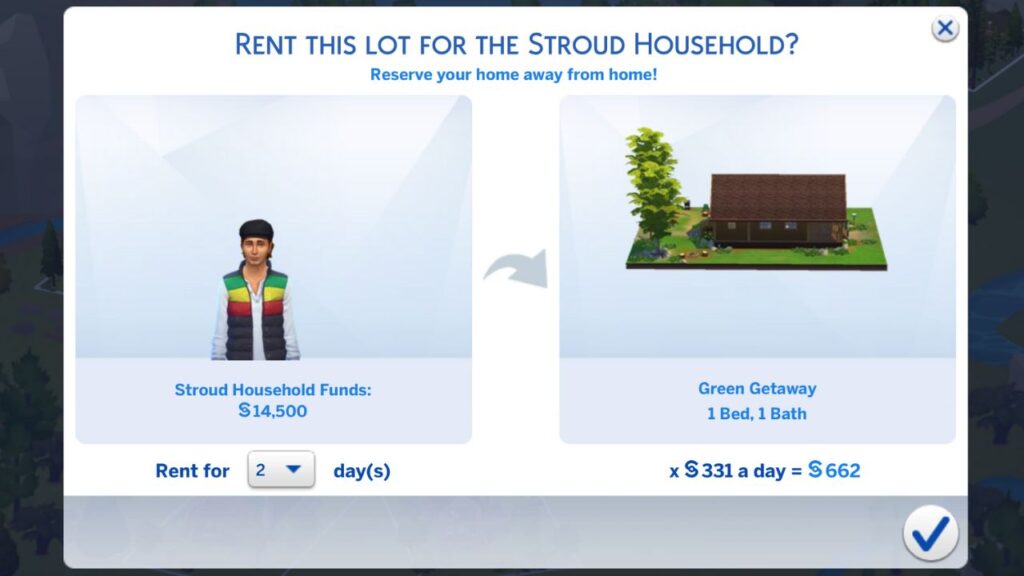
Once you click on the checkmark your sims will spawn into the lot and your vacation will begin!
Once you start vacationing in Granite falls you can explore everything the world has to offer. You’ll be able to become an outdoor enthusiast or start playing around with herbalism!