How to Teleport with Cheats in The Sims 4
There are ways to get your sims to teleport with gameplay, but you can teleport all over with these sims 4 teleport cheats!
You’ll be able to get your sims out of sticky situations or just move around different areas super quick.
How to Use Cheats to Teleport
Teleportation is a shift-click cheat which means you don’t need to remember any long cheat codes. You first need to enable cheats though which you can do by opening the cheat box with the following commands:
- PC: Ctrl + Shift + C
- Mac: Command + Shift + C
- Console: All Four Triggers
You’ll then type testingcheats true and hit enter and the game will tell you that cheats are enabled!
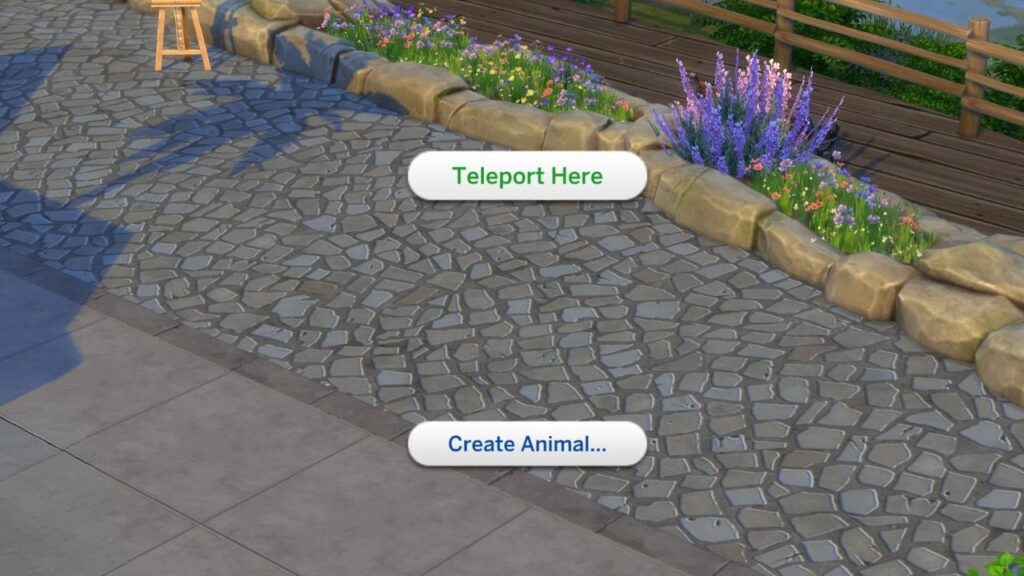
You can then hold down shift and click on the ground and you’ll see the option to teleport here and clicking on that will teleport your sim to that location.
If you’re on console you can do a shift click in the following ways:
- Playstation: Hold down O then press X while hovering over where you want your sim to teleport
- Xbox: Hold down B and then press A while hovering over where you want your sim to teleport