How to Summon Sims to Your Lot in The Sims 4
Sometimes you need random sims on your lot and thankfully there are ways to summon sims to your lot in The Sims 4!
Note: Two of the three summon cheats require you to have a mod installed to use them after a bunch of cheats were patched out of the game.
How to Summon Multiple Sims
If you want to summon a random group of sims to your lot for any reason you’ll need to have the All Cheats Mod installed. A few years back EA blocked a bunch of cheats from being used by players but with this mod you can have them back.
To summon random sims you’ll use sims.spawnsimple X and change the X at the end to whatever number of sims you want to come to your lot at that time.

When you do, the sims will appear at the front of your lot and then walk all together as a group into your house which feels slightly intimidating. They’ll hangout for a few hours and then leave!
How to Summon a Sim into Your Household
The second cheat you can use is sims.spawn which will summon a random sim to your lot and add them to your household. This cheat code does require you to have the All Cheats Mod installed in your game.
This sim will now be a member of your household and you’ll be responsible for taking care of them.
How to Summon a Specific Sim
For this cheat you can get a specific sim to come to your sim’s lot immediately. This cheat code doesn’t not require a mod, however, it does require you to get a sim ID for the sim you wish to summon.
To get a sim ID you’ll use the cheat code sims.get_sim_id_by_name {first name} {last name} and hit enter. The game gives you an 18 digit number you’ll need to place into the end of the cheat code.
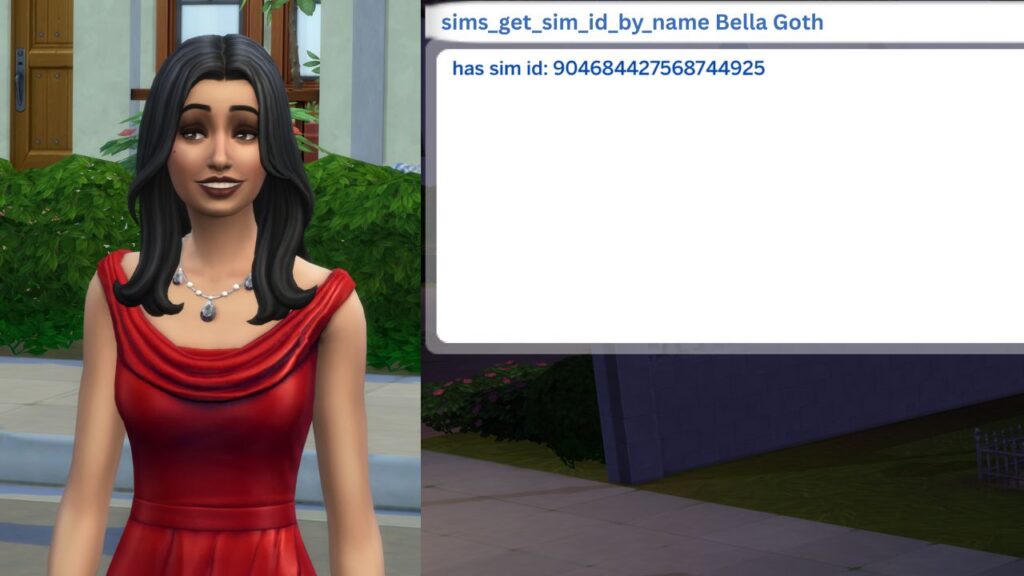
You’ll then use the cheat code sims.summon_sim_to_zone {sim ID} and hit enter. When you do, the sim you specified will appear in the front of your sim’s lot near your mailbox usually.
Using this is nice if a sim is not wanting to come over for whatever reason and you can just summon that specific sim and force them to come over.