How to Summon a Specific Sim in The Sims 4
From time to time you’ll want a specific sim on your lot and you can use the sims 4 summon sim cheat to do so.
This is awesome if you want to talk to someone but can’t find them or they refuse to come over.
How to Summon a Sim
There are two things you need to do before you can use this cheat code, the first one is to enable cheats by opening the cheat box and typing in testingcheats true and hitting enter. You’ll open the box with these commands:
- PC: Ctrl + Shift + C
- Mac: Command + Shift + C
- Console: All Four Triggers
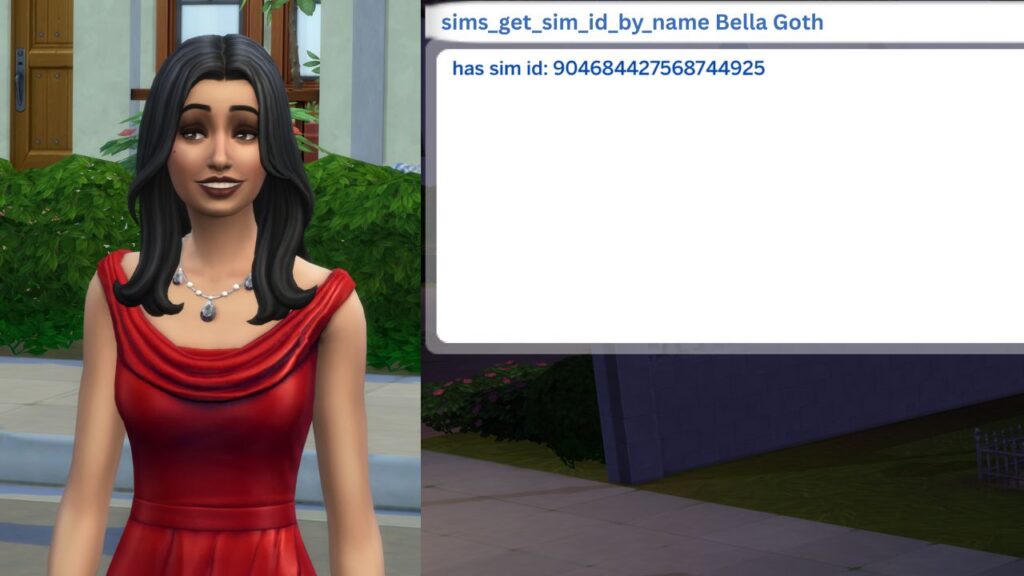
Once cheats are enabled you’ll need to find the your target’s sim ID. This is a list of numbers that applies to a specific sim and is used in some random cheat codes. The cheat you need to use for this is:
- sims.get_sim_id_by_name {First Name} {Last Name}
For example, if you want to summon Bella Goth you’d use sims.get_sim_id_by_name Bella Goth and hit enter and the game will give you a long number. The number I got for this was 904684427568744925 and you’ll need to input that into the end of the cheat code to summon a her to your lot.
Note: This doesn’t not work if the sim has three names. For example, you would not be able to summon J Huntington III because they technically have three names so the cheat won’t work.
Once you have the sim ID you’ll use the cheat:
- sims.summon_sim_to_zone {simID}
So, with Bella’s ID I’d use sims.summon_sim_to_zone 904684427568744925 and then hit enter and Bella will spawn at the front of the lot.

You need to interact with this sim rather quick, in my experience they disappear after a short amount of time.