The Sims 4 Pregnancy Cheats
Being able to cheat pregnancy is a great thing, but these sims 4 pregnancy cheats aren’t easy to use like they used to be!
Thankfully there are mods (sorry console players) that you can use to get these cheats back in your game.
You must have the All Cheats Mod in your game for these cheats to work!
How to Use Pregnancy Cheats
Around the time of The Sims 4: Seasons EA made the decision to patch a bunch of cheats that let you do awesome things like cheating pregnancy and got rid of them for use. This is one of the most annoying things EA ever did in a patch in my opinion.
Thankfully, if you download the All Cheats Mod you are able to use all of these cheats because they were never removed from the game, just turned off for players.
There are a few cheats you can use that are all really nice to have. You can put a pregnant sim into labour immediately or move along their pregnancy to get further in the trimesters!
| Cheat Effect | Cheat Code |
|---|---|
| Puts Your Pregnant Sim in Labour Immediately | sims.add_buff buff_pregnancy_inlabor |
| Puts Your Sim in First Trimester | sims.add_buff buff_pregnancy_trimester1 |
| Puts Your Sim in Second Trimester | sims.add_buff buff_pregnancy_trimester2 |
| Puts Your Sim in Third Trimester | sims.add_buff buff_pregnancy_trimester3 |
Another thing you can do with these cheats is choose the number of babies your sim will have. To do this you first need to get your sim’s sim ID which is easy to do.
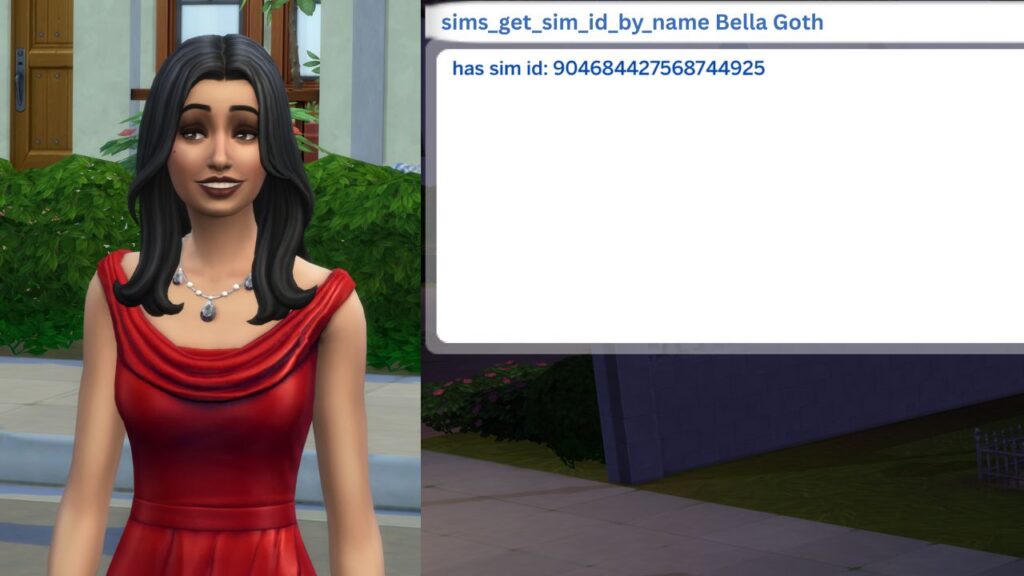
You’ll use the following cheat:
- sims.get_sim_id_by_name {First Name} {Last Name}
When you do this the game will give you an 18 digit number that you’ll need to input into the end of the cheat code for choosing how many babies you want your sim to have. To choose the off spring amount you’ll use the cheat:
- pregnancy.force_offspring_count {sim ID} {off spring number}
So, if your sim wanted to have triplets you’d place their sim ID in that section then a space and then the number 3.