How to Cheat Needs in The Sims 4
Taking care of your sims is hard but with these sims 4 needs cheats you can fill your sims motives without stress.
You can use these cheat codes to be able to disable needs at all too!
How to Use Shift-Click Needs Cheats in The Sims 4
Before you can use these cheat codes you need to make sure cheats are enabled by opening the cheat box with:
- PC: Ctrl + Shift + C
- Mac: Command + Shift + C
- Console: All Four Triggers
You’ll then type in testingcheats true and hit enter and the game will let you know that cheats are enabled. For these cheats you’ll need to hold down shift and click on the sim’s mailbox and you’ll find the cheat codes there. If you are on console you can shift click by doing the following:
- Playstation: Holding Down O and Pressing X while your cursor is hovering above the mailbox
- Xbox: Holding Down B and Pressing A while your cursor is hovering above the mailbox
When you shift click on the mailbox you’ll see alter needs and you’ll want to click on that.
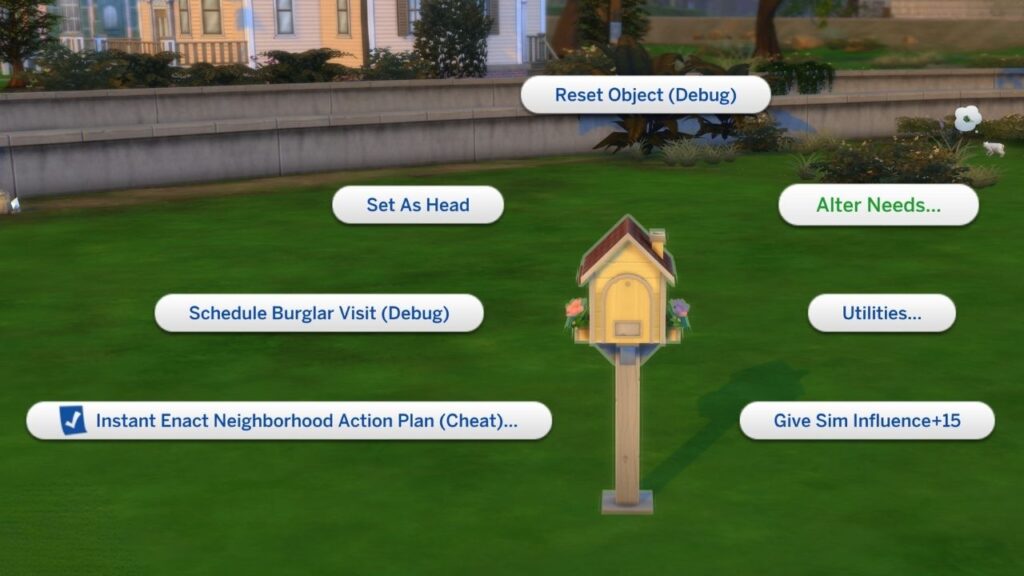
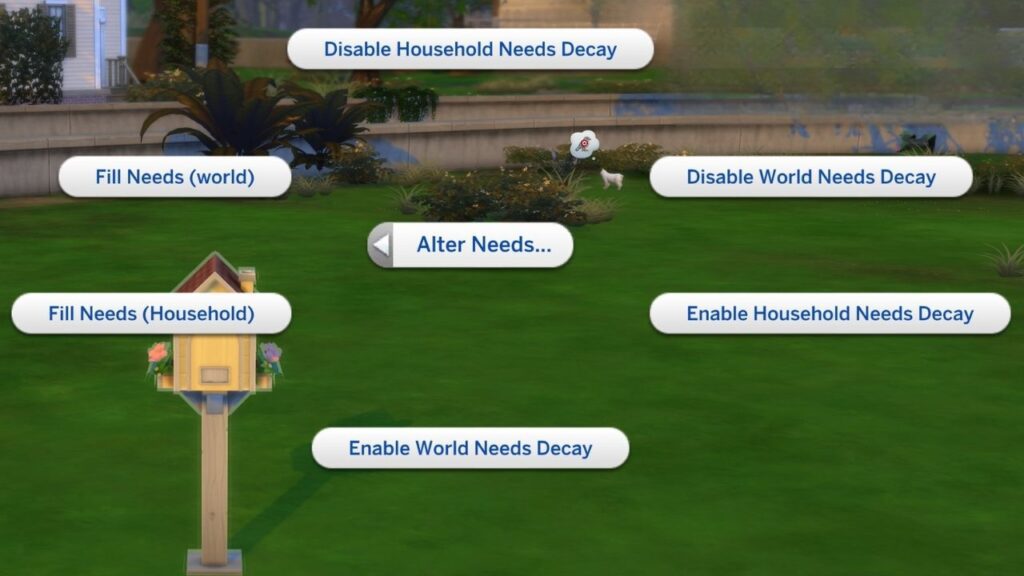
A menu will open with six options allowing you to fill needs or disable and enable needs.
How to Fill All Needs
For filling all needs you have two options, you can choose to fill needs (household) which just applies to your active household. Or you can choose to fill needs (world) which fills the needs of all sims.
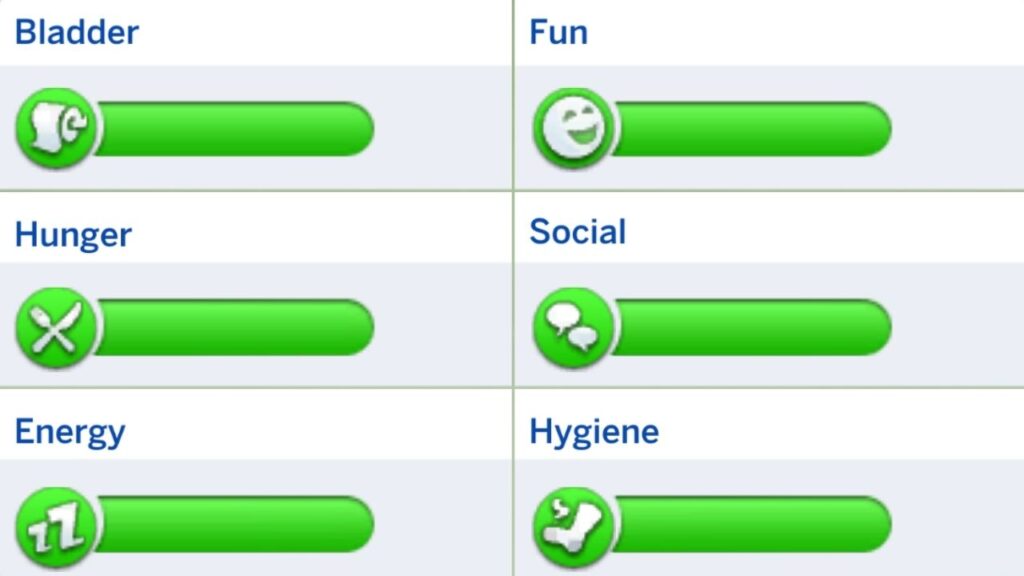
This will bring every single need to fully green, giving you some time before you need to care for the sim again but the needs will still decay.
How to Stop Needs From Decaying
If you want to stop having to care for your sim’s needs at all you can choose to disable needs decay which I do all the time!
In this same menu you can see the option to disable needs decay. This has two options, either household or world. If you choose household it will make it so just your active household never has their needs go down.
Choosing disable world needs decay will make it so no sims in the entire world you’re playing in have their needs decay which can be nice so random tragic events like sim starvation don’t happen.
Whenever you want your sim’s needs to decay again you can choose to shift click on the mailbox and choose enable and it will start working again.
How to Fill Individual Needs
If you don’t want to fill every need for your sim there are cheats to do that too! Below you’ll see the cheats you can use to cheat the six default needs for your sims. Just make sure that you first enable cheats with testingcheats true before using these.
| Cheat Effect | Cheat Code |
|---|---|
| Fills The Bladder Need | fillmotive motive_bladder |
| Fills The Fun Need | fillmotive motive_fun |
| Fills The Hunger Need | fillmotive motive_hunger |
| Fills The Social Need | fillmotive motive_social |
| Fills The Energy Need | fillmotive motive_energy |
| Fills The Hygiene | fillmotive motive_hygiene |
How to Cheat Needs with Mods
If you want to do this without as much stress you can download the UI Cheats Extension mod! This mod lets you click on random parts of the UI to cheat them and this includes your sim’s needs.
To cheat a sim’s needs with UI Cheats you can just click on the needs bars in their needs panel exactly where you want the need to be. This even means you can cheat a sim’s hunger to 0 with this super quick!
How to Cheat Animal Needs
Since we can’t control our pets (i.e., cats, dogs and horses) you may want to cheat their needs from time to time without cheating the needs of their entire household. You can do this easily with the same shift click system as before. So, enable your cheats and use the shift click mechanism on your pet!
When you do this you’ll see cheat need an option and when you click on that you have three options:
- Make Happy (Fills The Animals Needs)
- Disable Need Decay (Stops the Animal’s Needs From Decaying)
- Enable Need Decay (Restarts the Animals’ Needs Decay)
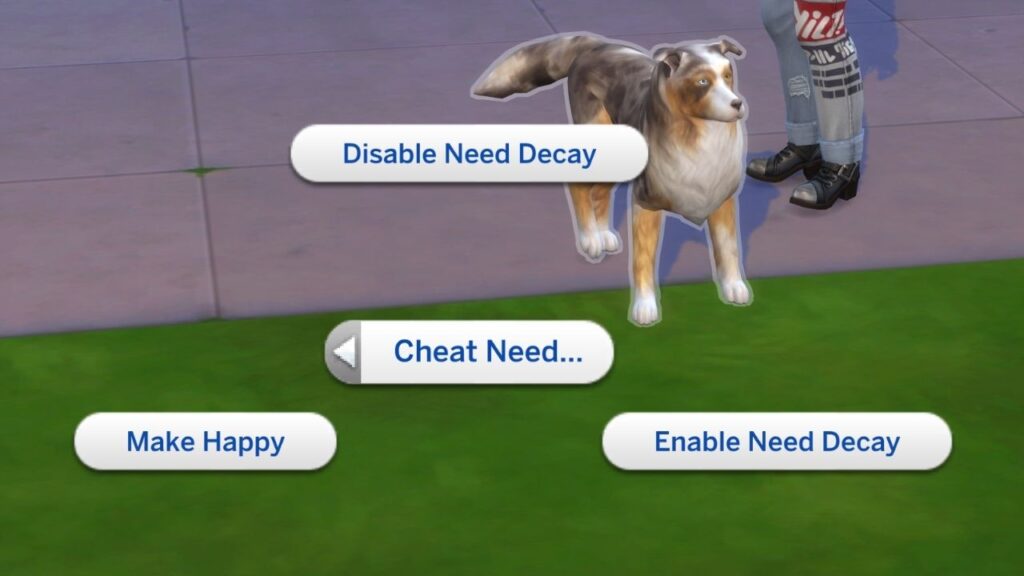
Unfortunately, these don’t work on animals from The Sims 4: Cottage Living, just on animals who are considered “pets” that you can create in CAS.