How to Use The Move Objects Cheat in The Sims 4
The most used build cheat for the game will always be the sims 4 move objects cheat!
This cheat lets you move items freely and build however you want which comes in clutch.
How to Enable Move Objects Cheat
To use the move objects cheat you’ll first want to turn cheats on by opening the cheat box:
- PC: Ctrl + Shift + C
- Mac: Command + Shift + C
- Console: All Four Triggers
You’ll then type in testingcheats true to enable cheats and then type in bb.moveobjects on to turn on move objects.
How to Use The Move Objects Cheat
There are actually a few things you can do with this cheat, all of which are awesome. You’ll be able to free place, free rotate, shrink and grow and even raise items. Let’s go into how you do each of them.
Free Placing Items
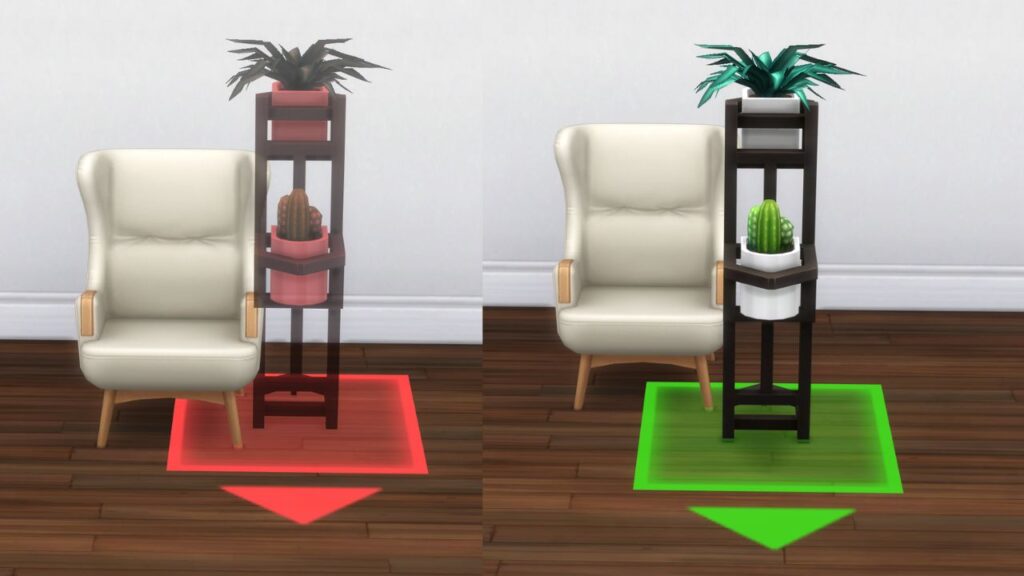
The first option you have is to free place items which allows you to place items however you want, regardless of the grid. Before enabling the cheat items will turn red and not be able to be placed and after they will always be green regardless of where you want to place them.
Free Rotating Items
Another thing you can do when this cheat is enabled is free rotate. Without the cheat you only get a 45 degree spin with rotating but if you have the cheat enabled you can rotate however you like.
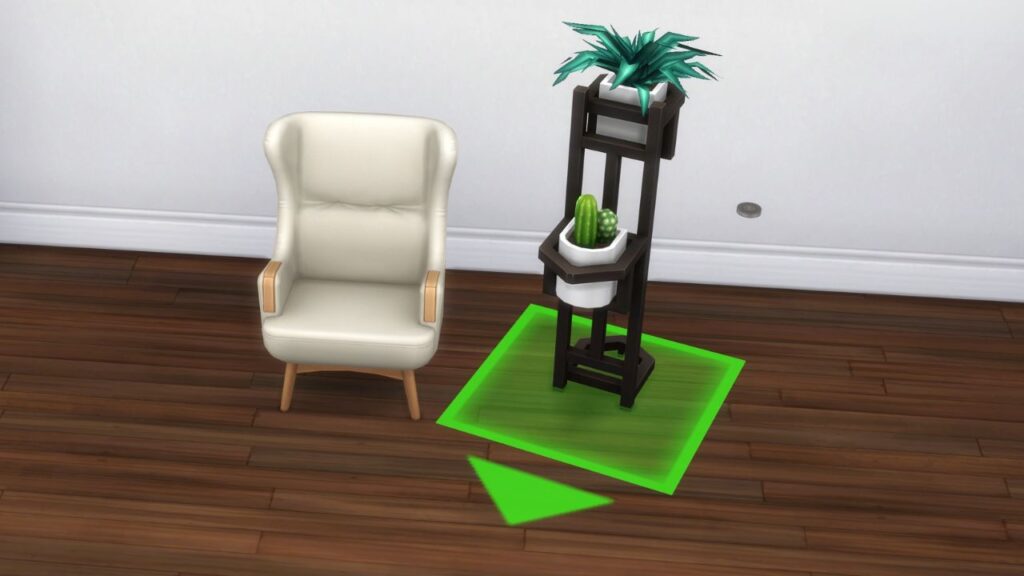
To do this you’ll hold down the alt key and rotate it around until you get the perfect angle.
Shrinking and Growing Items
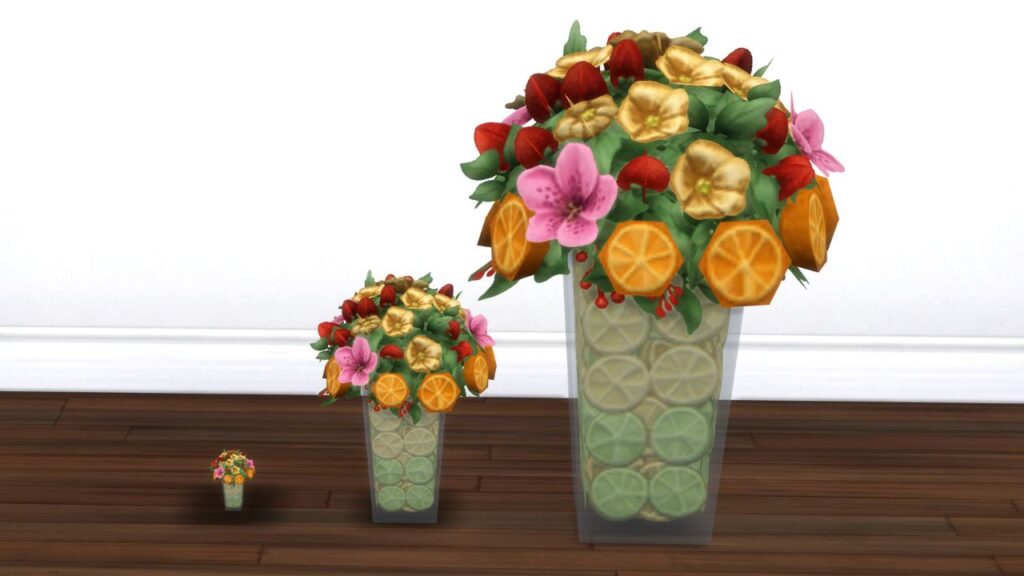
The next thing you can do is make items bigger or smaller with move objects. This allows you to shrink items to be tiny or grow them to be huge if you want. This just has some simple hot keys you need to know.
| Effect | Hot Key |
|---|---|
| Shrink Item | [ key |
| Grow Item | ] key |
Raising & Lowering Items
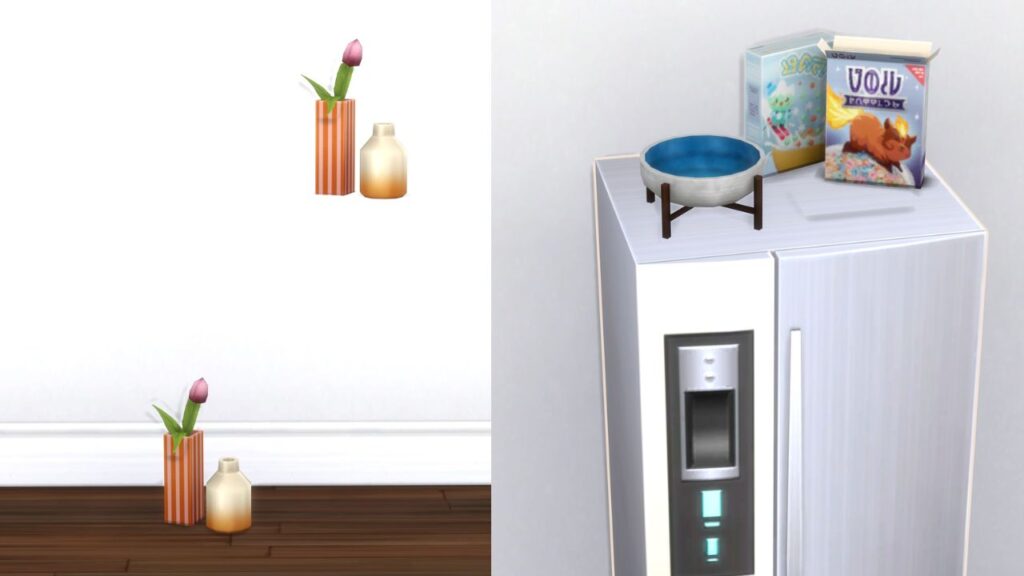
The final thing you can do is raise and lower items. This is just a couple simple hot keys that you can use. Doing this lets you place items on top of tables regardless of clutter slots, put stuff on top of fridges and lower items like mirrors.
| Effect | Hot Key |
|---|---|
| Raise Items | 9 key (in number bar) |
| Lower Items | 0 key (in number bar) |