How to Cheat to Edit a Sim’s Appearance in The Sims 4
If you find a sim who isn’t cute enough you may want to use this simple sims 4 cheat to edit sims appearance to make them more attractive.. or less!
This cheat lets you go into the full version of create-a-sim and do whatever you want to the sim.
How to Cheat to Edit a Sim’s Appearance in The Sims 4
The first thing you need to do to use this cheat is to open the cheat box:
- PC: Ctrl + Shift + C
- Mac: Command + Shift + C
- Console: All Four Triggers
You’ll type in testingcheats true and hit enter to enable cheat codes. Now you can type in the cheat code cas.fulleditmode and hit enter.
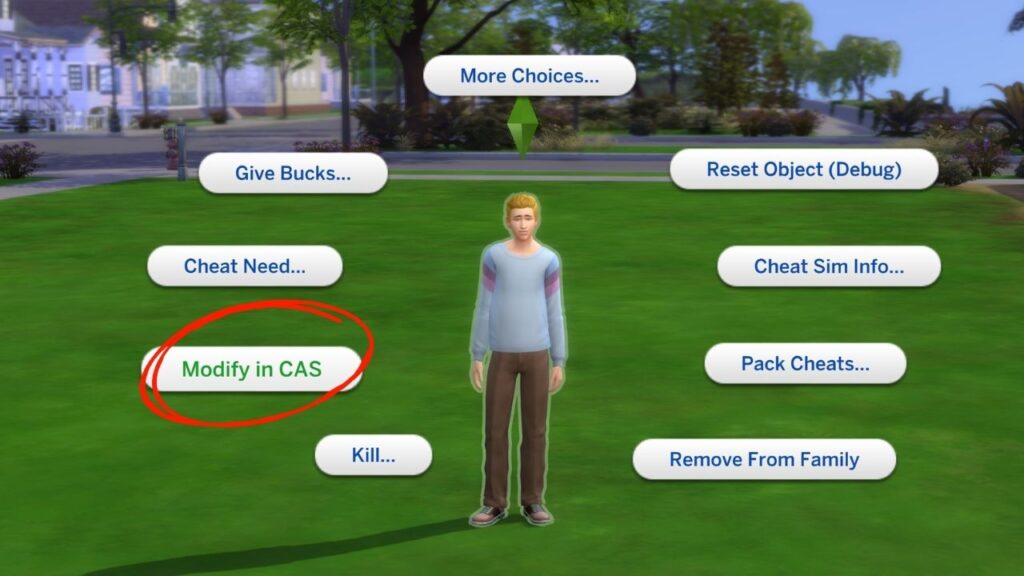
You can then hold down shift and click on your sim and find modify in CAS and you’ll be able to go into create-a-sim and change everything from their traits to their gender to the shape of their face.
If you’re on console you can do a shift click by hovering over the sim and doing the following:
- Playstation: Hold down O and press X
- Xbox: Hold down B and press A