The Sims 4 Celebrity Level Cheats
Growing into a celebrity can take forever but with these sims 4 celebrity level cheats you can be world famous without effort.
The celebrity fame system comes to your game with The Sims 4: Get Famous and has a whole perk system where you can get huge benefits!
How to Cheat Celebrity Level
The first thing do to is to enable cheats by opening the cheat box:
- PC: Ctrl + Shift + C
- Mac: Command + Shift + C
- Console: All Four Triggers
You’ll then type in testingcheats true and hit enter and the game lets you know cheats are enabled. Once you do that you can hold down shift and click on your sim to open a cheat menu. If you’re on console you can do the following while hovering over your sim to shift click:
- Playstation: Hold down O and press X
- Xbox: Hold down B and press A
When you do this you’ll see tons of shift click cheat options from cheating needs to resetting your sim.
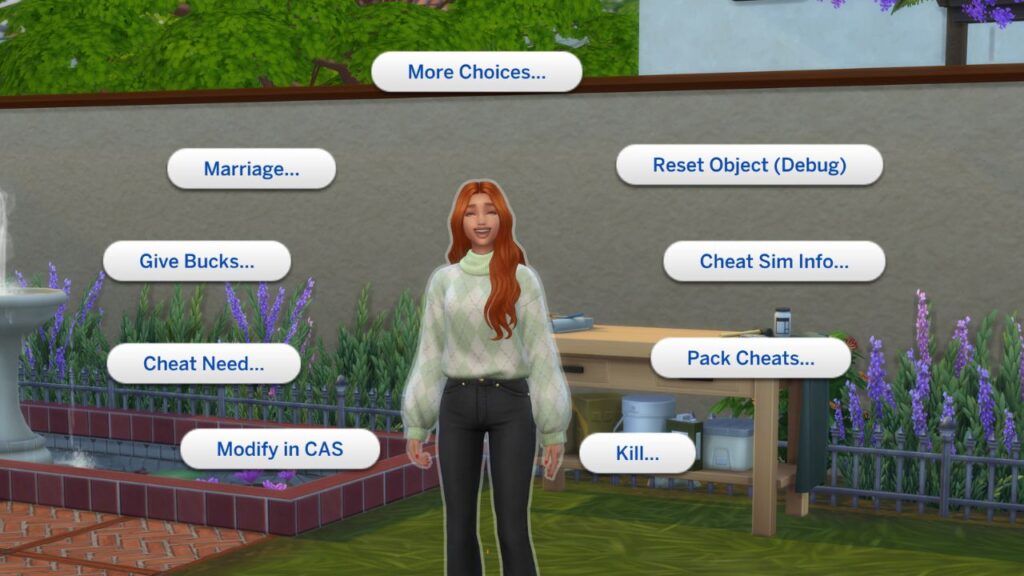
You’ll need to navigate this menu and go to pack cheats > expansion packs> EP06 Get Famous > Public Image and on this page you’ll see three options that have to do with your sim’s celebrity level.
- Increase Celebrity Level
- Decrease Celebrity Level
- Freeze Fame
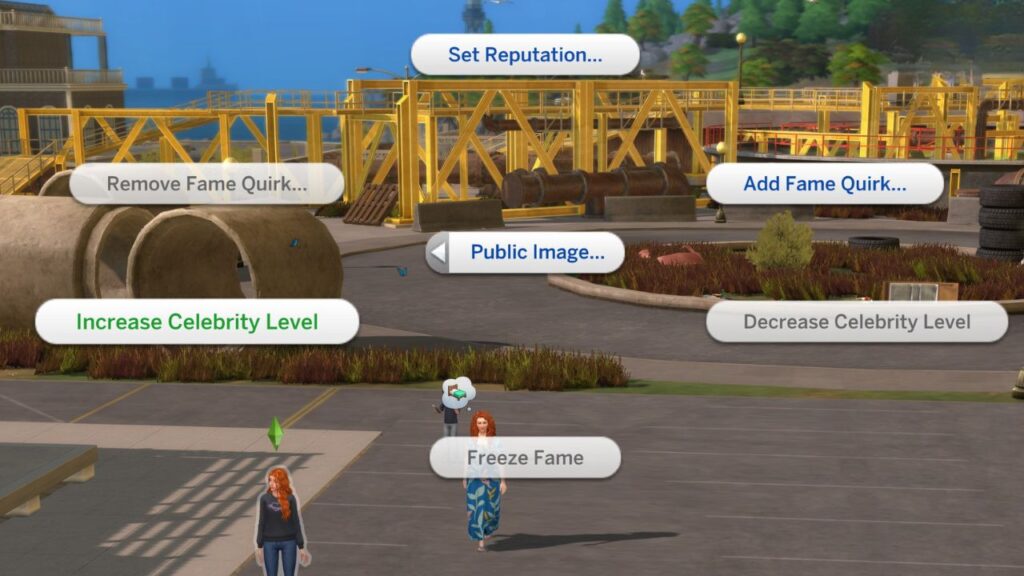
You can use the increase or decrease to get your sim up or down by one level in their celebrity rank which is super useful. If you want to stay at the level of fame you have right now and not let it decrease or increase you can choose to freeze fame and stay there forever!