6 Must Know Sims 4 Build Cheats
Building is a huge part of the game and with these sims 4 build cheats you can make even more beautiful homes!
These cheats let you place objects wherever you want, get free real estate and find special items in the build catalog.
Move Objects Cheat
When you’re building in The Sims 4 you’ll see that there is a grid system that limits where you can place items and can make for boring builds. Thankfully, with the move objects cheat you can completely change your experience.
To use this cheat code you’ll open the cheat box and type in bb.moveobjects on and hit enter. You can then go into build mode and use this cheat to its full extent.
For this you’ll be able to do things like hold down alt to free rotate or free move items, you can shrink and enlarge items and raise and lower items too.
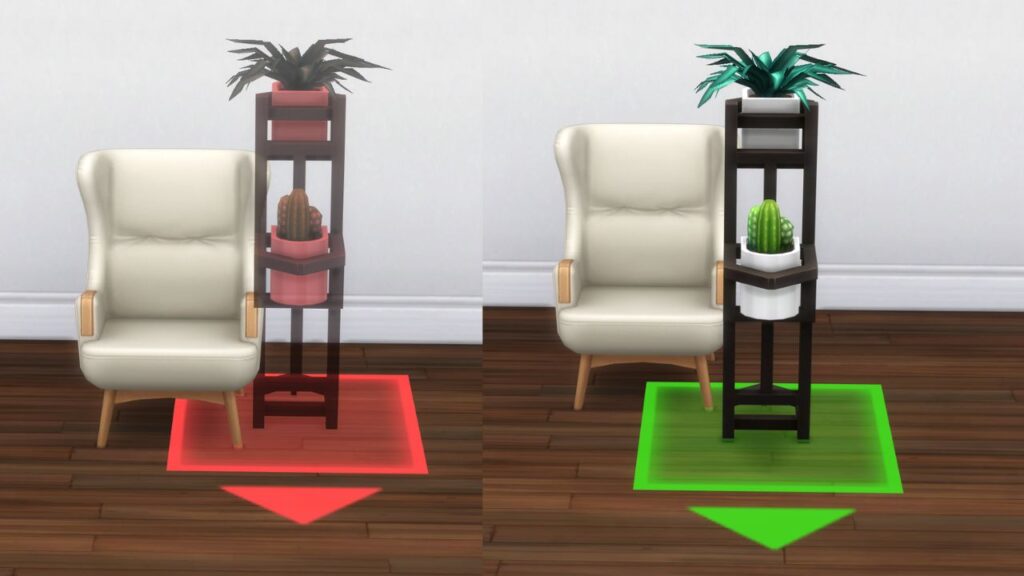
Pro Tip: Use this cheat before downloading any lot from The Gallery because many players use it to build and items can glitch or disappear if you don’t!
Career Unlocks Cheat
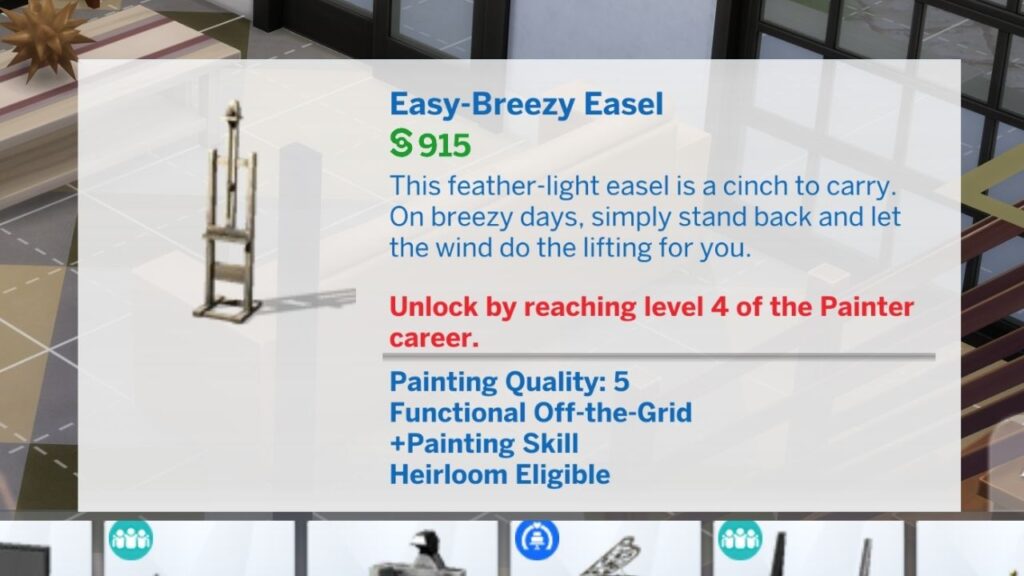
There are certain items that are locked behind certain careers that you can only get if you get to specific levels of the career. Thankfully, there’s an easy to use career unlocks cheat code to unlock these items instead.
| Cheat Effect | Cheat Code |
|---|---|
| Unlocks All Career Items in Build Mode | bb.ignoregameplayunlocksentitlement |
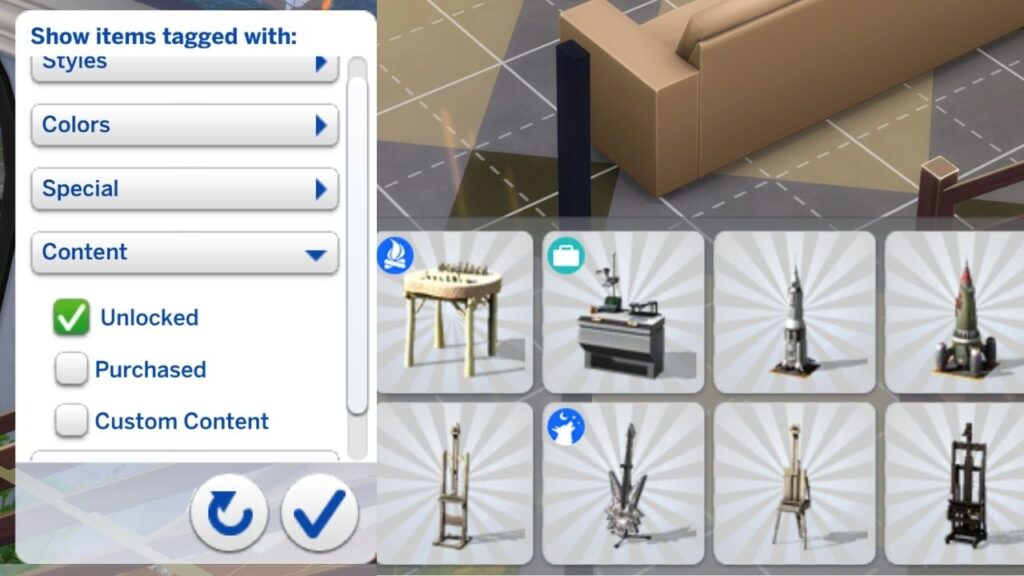
After using this cheat code you can go into the build catalog and use the filters on the right side and filter by unlocked to see each object you now have access to.
Debug Cheat
There are thousands of little items your sims interact with that you can’t purchase from the regular build catalog. These objects are all in the build catalog they are just hidden from your view to make thee build catalog more clean.
You can use the debug cheat to be able to unlock these items in your build catalog and get access to things like:
- Specific Seeds
- Crystals
- Books
- Cups
- Plates
- & More
To do this you’ll type bb.showhiddenobjects into the cheat bar and hit enter and then go into build mode. You can search for specific items like amethyst to get that specific item or search for the word debug to find items.
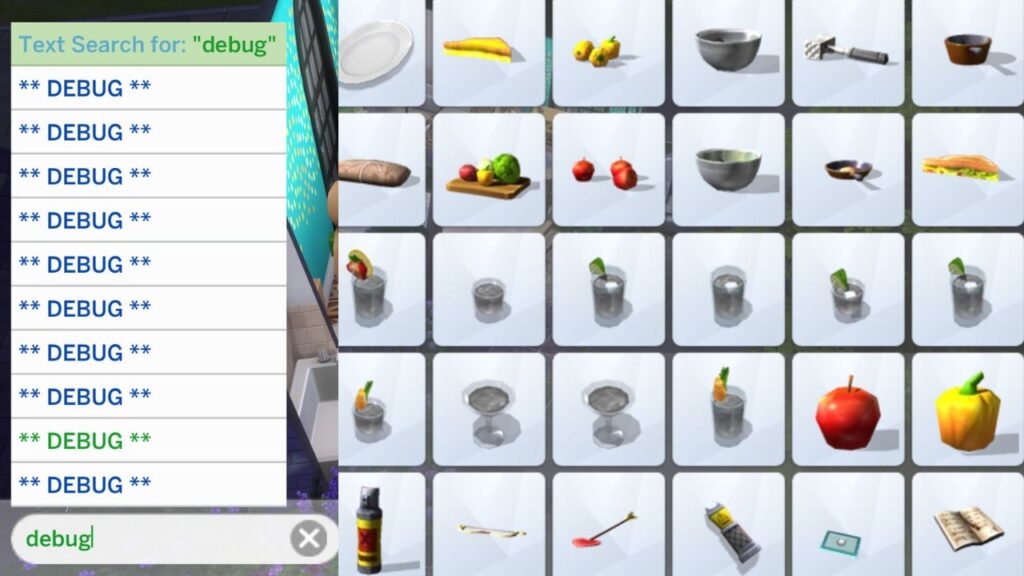
Pro Tip: You can use the better build buy mod to be able to have organized debug which makes it so much easier to find these items!
Live Edit Objects
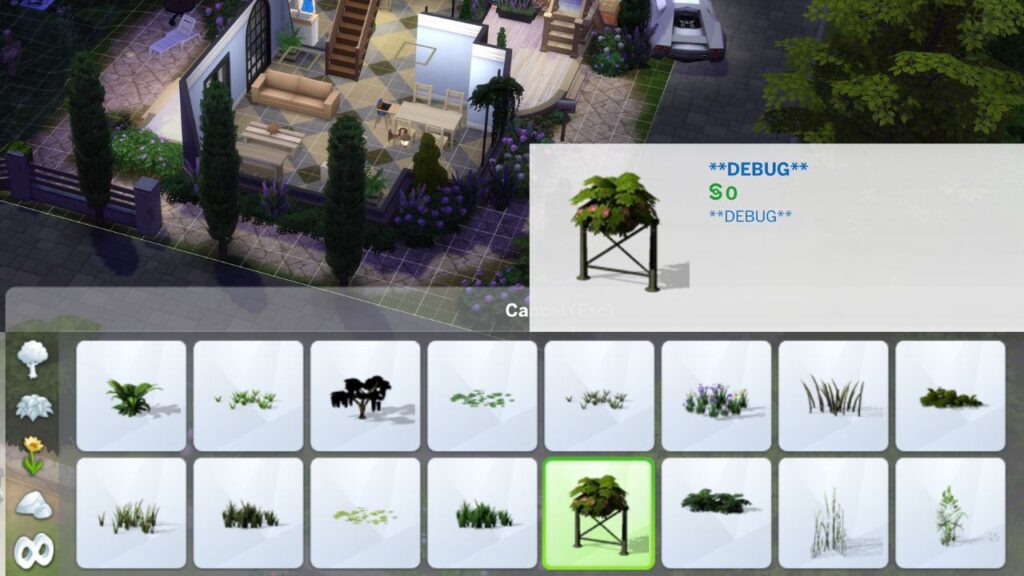
Live edit objects is pretty much the same concept as debug, however, this is items that your sims don’t interact with but items in the world. This includes a whole bunch of free landscaping like trees and flowers that can only be found in live edit.
For this you’ll type bb.showliveeditobjects into the cheat box and then go into build mode. You’ll find the best items in the outdoor plants category like the trees and random fences.
Free Real Estate
The next cheat you need to know is free real estate which lets you purchase new lots regardless of how much money your sims have. For example, if you have a single sim with 20,000 simoleons moving into their first home you can use this cheat to move them into a mansion and keep their whole 20,000 simoleons.
To use this cheat you’ll need to already be on the moving screen (either after CAS or when you choose to move household) and then open the cheat box and type in FreeRealEstate On and hit enter.
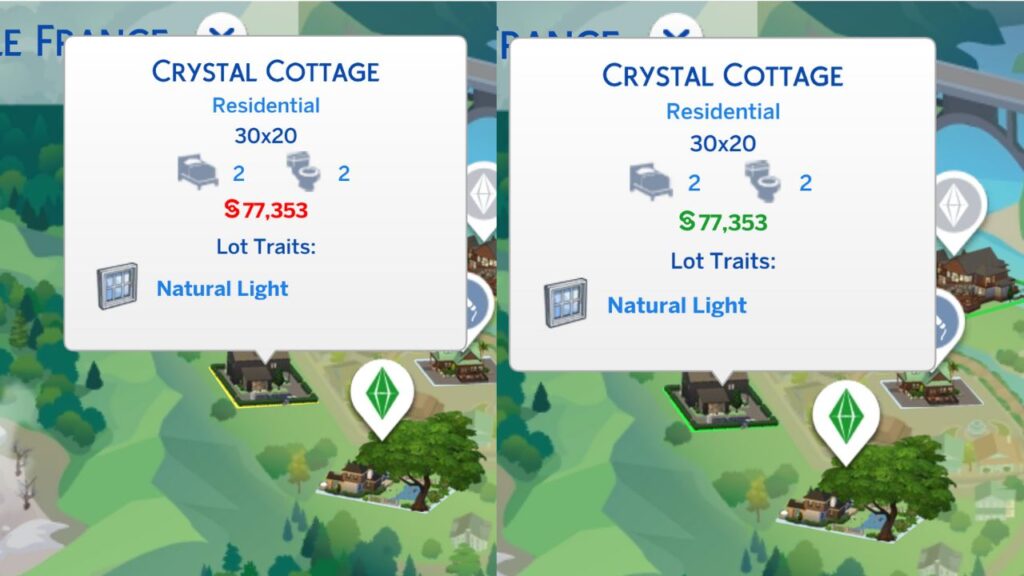
When you do this you’ll see that any lot is now available to your sim and you’ll get to keep all of your money!
Free Build Cheat
There are a bunch of lots that you may want to change but can’t like the hospital from Get to Work or the dorms from Discover University and you can’t do it… without cheats! With the free build cheat you are able to go into the build menu on any lot.
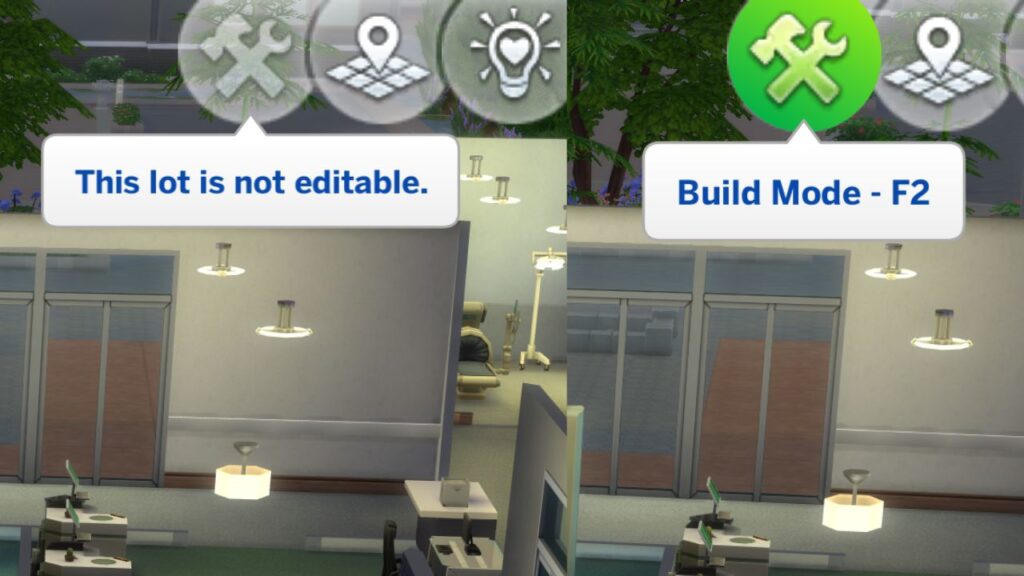
To use this cheat you need to open the cheat box and type in bb.enablefreebuild and hit enter. Then go into build mode and edit the lot however you’d like!