The Sims 4 CAS Cheat (Full Edit Mode)
Creating sims is a HUGE part of the game but editing them without knowing the sims 4 CAS cheat is lame.
When you have this cheat enabled you are able to go into create-a-sim and modify everything about the sim from their traits to the shape of their face.
How to Use The Sims 4 CAS Cheat
The first thing you need to do to use cheats is to enable them. You’ll need to open the cheat box with the following buttons:
- PC: Ctrl + Shift + C
- Mac: Command + Shift + C
- Console: All Four Triggers
You’ll then type in testingcheats true and hit enter and the game tells you that cheats are enabled.

In this same cheat box you want to type in the cheat code cas.fulleditmode and hit enter. This will change your game from regular create-a-sim mode where you can only edit outfits and aspirations to the version that lets you edit EVERYTHING including traits, age, and even shape of the sim’s body.
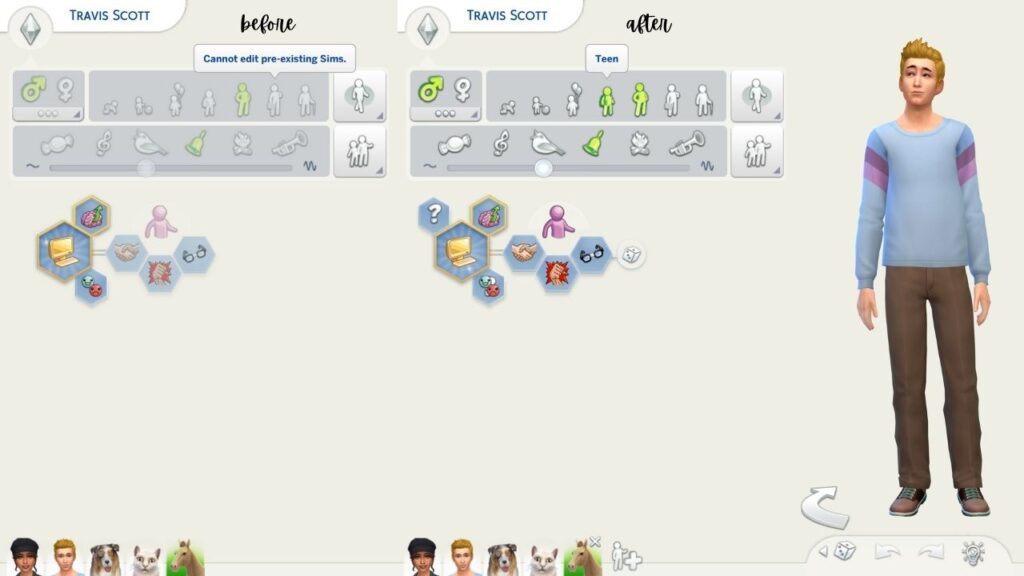
To use this you’ll then want to hold down shift and click on your sim. If you are playing on console you can do the following:
- Playstation: Hold Down O and Press X while hovering over your sim
- Xbox: Hold Down B and Press A while hovering over your sim
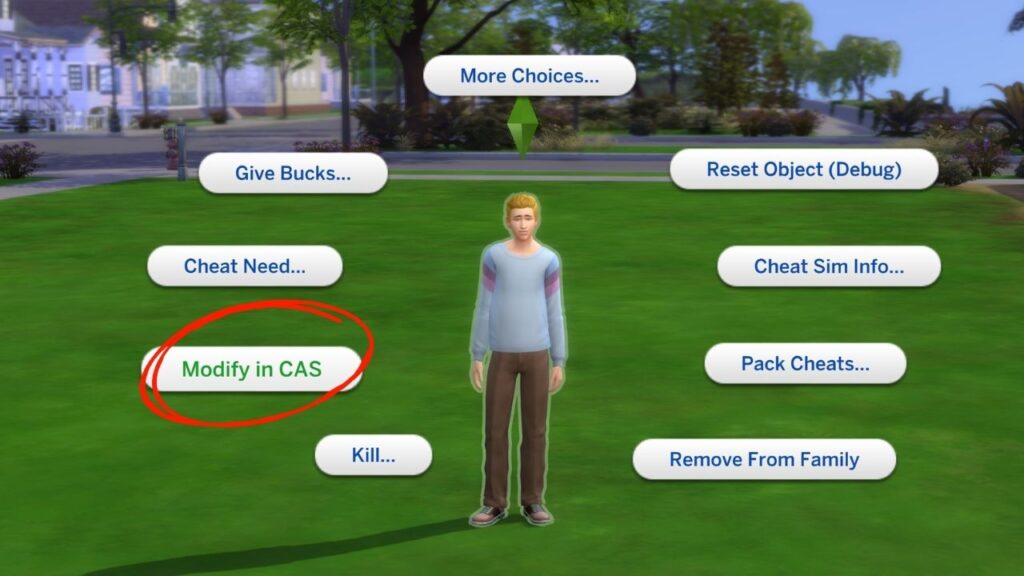
You’ll choose modify in CAS and it will bring you into create-a-sim where you can then change whatever you want about your sim!